
Contents
Everything Owdyn does, in one place.
Nine parts, all feeding the same daily number — your Safe-to-Spend. Skim the index, or scroll the gallery below.
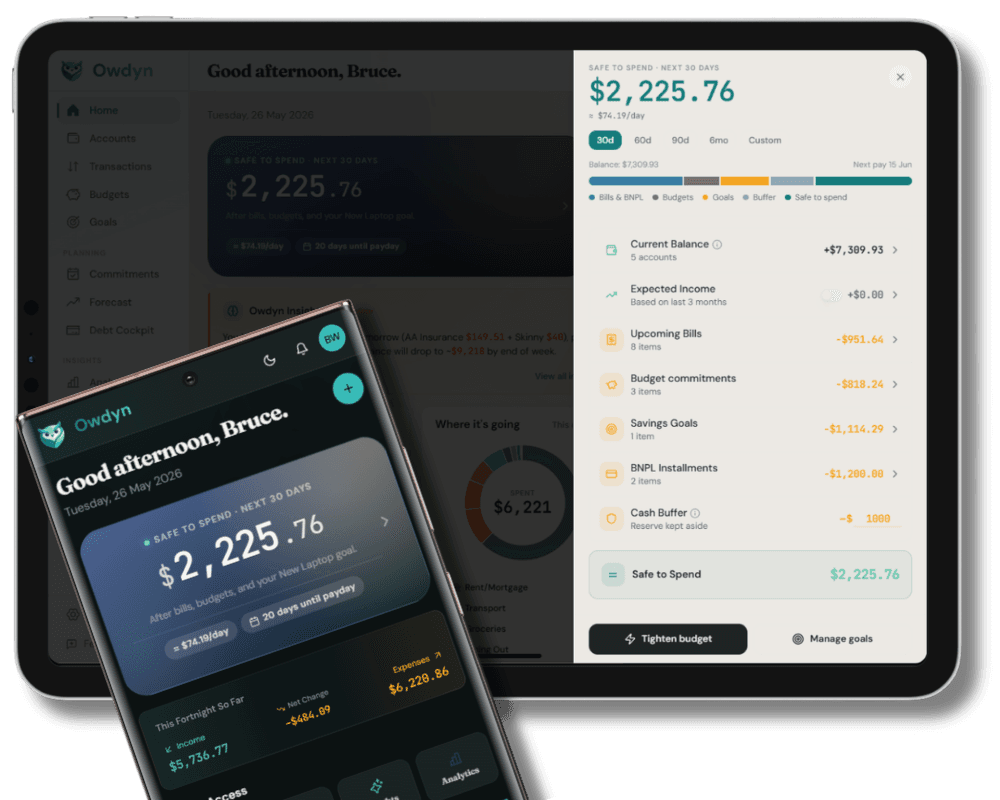
The only number that actually matters
“How much can I actually spend right now?”
One number. Every commitment already accounted for.
Add your bills, track your BNPL plans, set a savings goal — and Safe-to-Spend updates automatically. Every upcoming bill deducted. Every Afterpay and Laybuy instalment counted. Every goal contribution protected. Tap the breakdown to see every deduction, line by line.
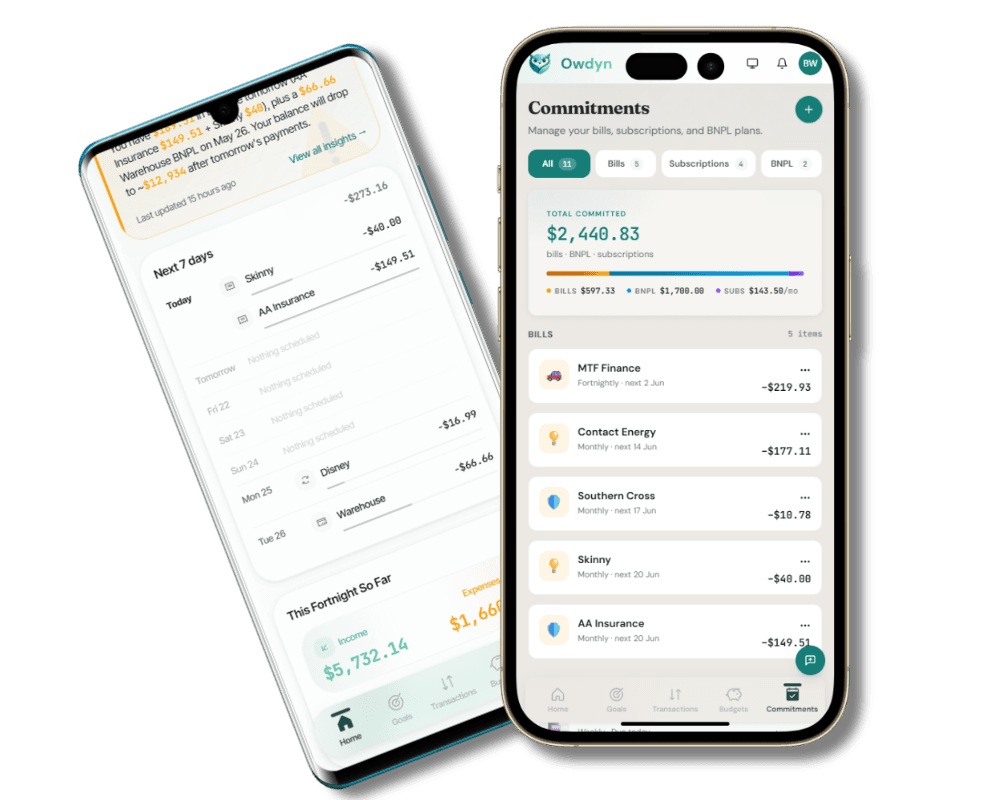
Every commitment, accounted for
“Another bill I completely forgot about.”
Add a bill once. Owdyn tracks every payment from there.
Add a bill once and Owdyn handles the rest — generating every upcoming occurrence, tracking due dates, and surfacing overdue payments before they become a problem. Afterpay, Laybuy, Zip, and every other BNPL plan are tracked instalment by instalment, with the next payment always visible.
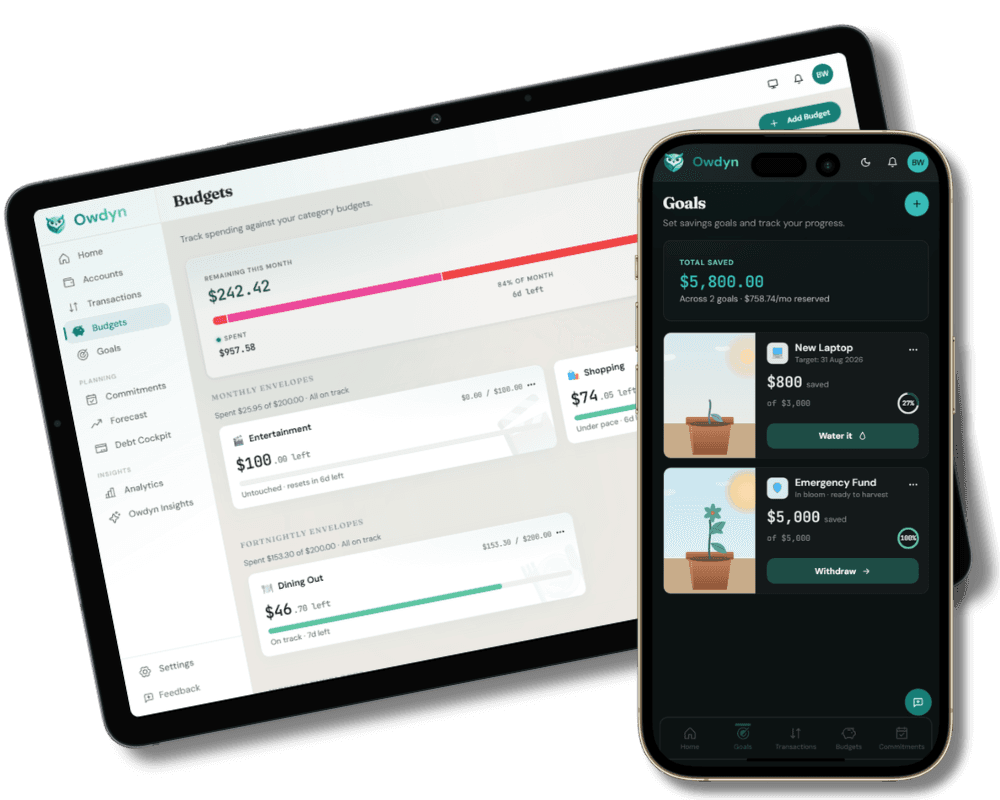
Goals that don’t rely on willpower
“I set a budget at the start of the month and completely forget about it.”
Budgets that keep score. Goals that get protected automatically.
Category budgets stay live and colour-coded — on track, approaching the limit, or exceeded — so you know before it becomes a problem. Goals set a contribution rate that’s built into Safe-to-Spend from day one, tracked to a projected completion date. Saving for a house deposit or an OE? Owdyn treats it like a bill you can’t skip.
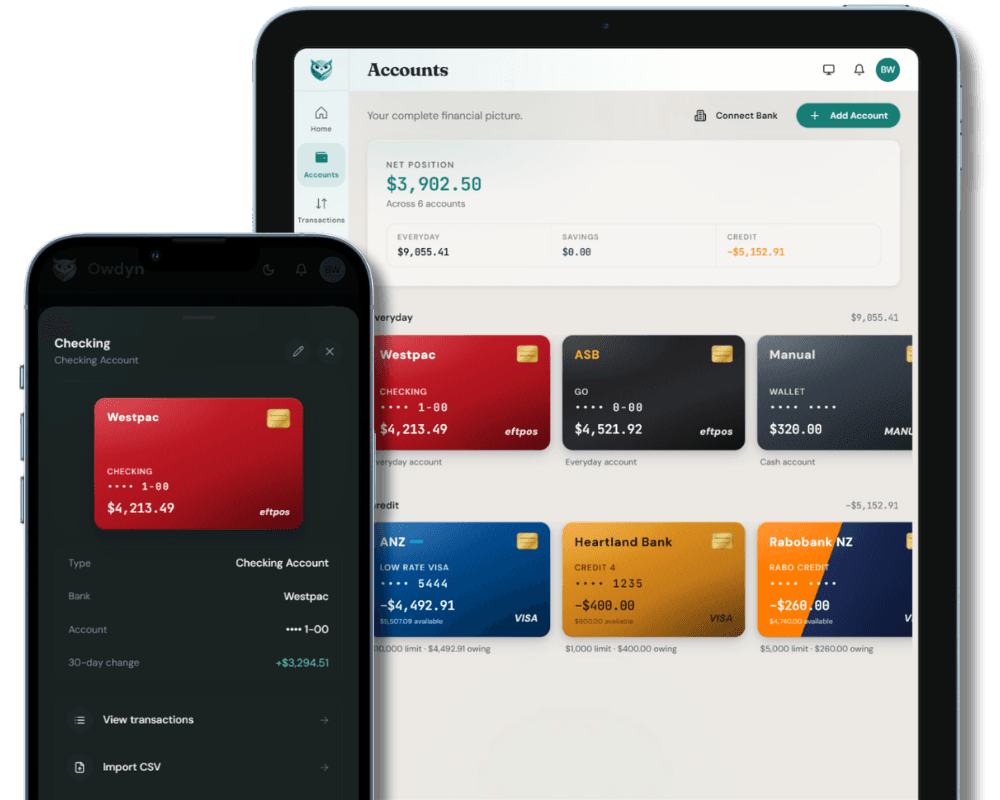
Every account, one place
Plus & Wise“My money is spread across three different banking apps.”
Bring all your bank accounts into Owdyn. Kept current, without the admin.
Everyday accounts, savings, credit cards and investments in one place on Plus or Wise — instead of a different app for each. Owdyn keeps them current through Akahu, New Zealand’s accredited open banking intermediary, so your internet-banking password is never shared. Investment and KiwiSaver accounts bring a balance rather than a transaction list, which is all those providers publish. Prefer to keep it manual? CSV import works on every plan, including Free.
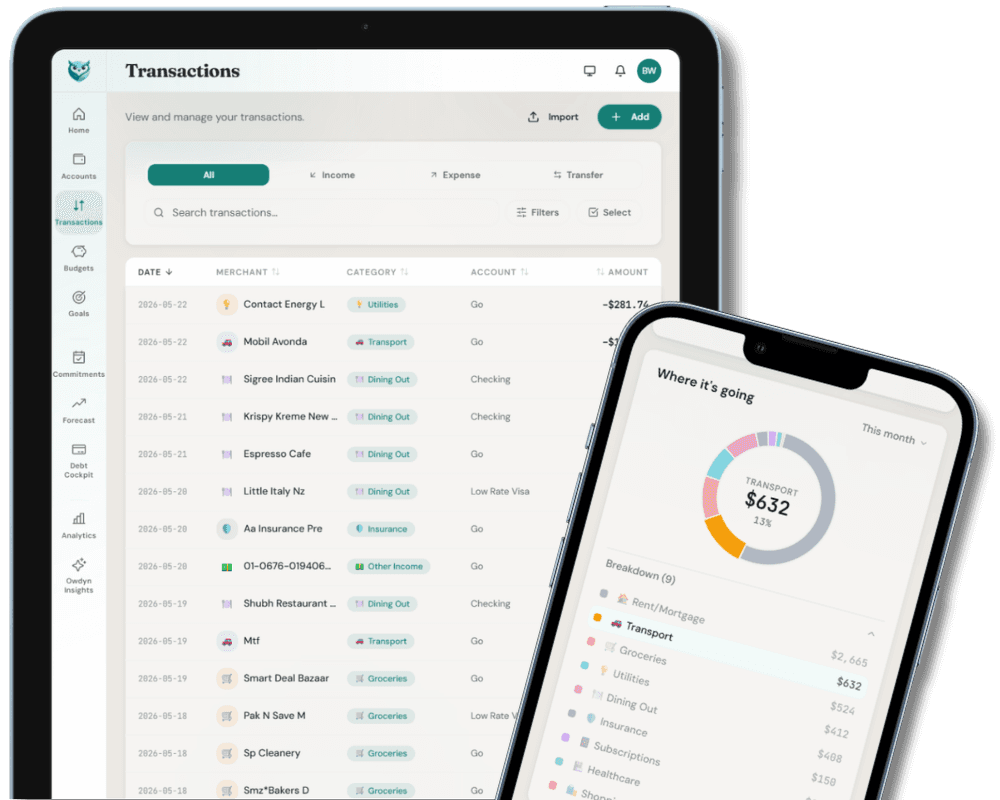
Nothing hiding in ‘Other’
“Where did all that money go this month?”
NZ merchants, recognised instantly. Every dollar placed where it belongs.
However your transactions arrive — synced or imported — Owdyn recognises hundreds of NZ merchants straight away — Countdown, Z Energy, Uber Eats, PB Tech — categorised before you touch a thing. Set a rule for anything it misses once and it never asks again. Split purchases across categories so your budgets always reflect reality.
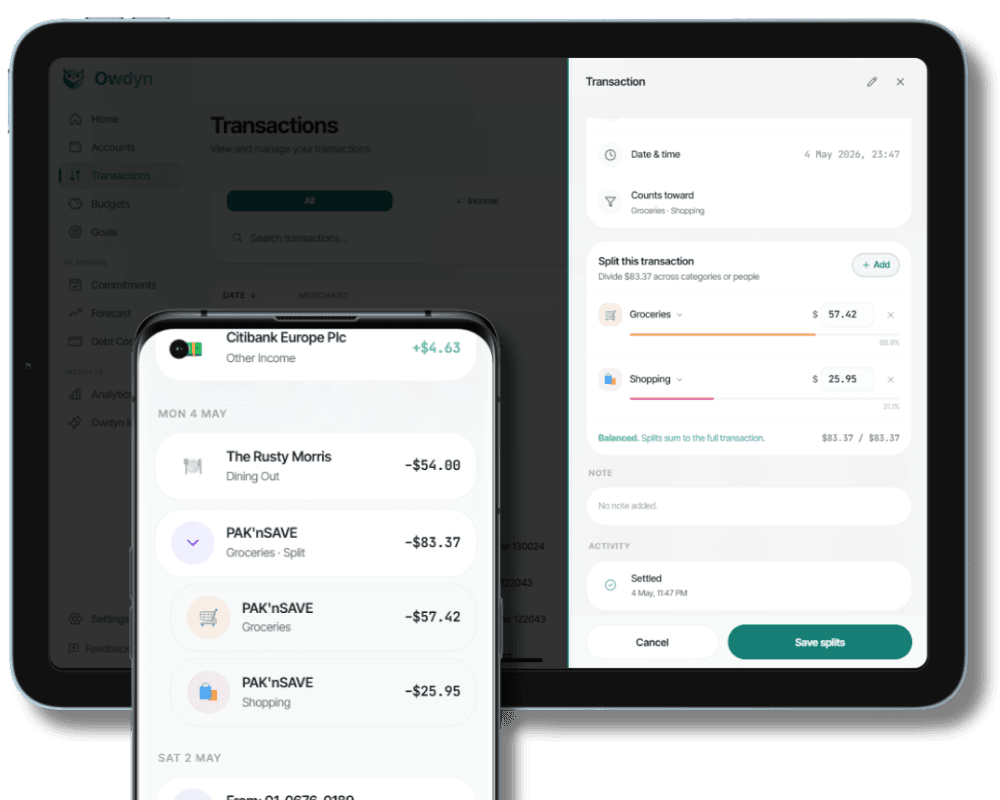
One receipt. Three budgets. All correct.
“My grocery budget always looks wrong — but I can’t figure out why.”
Split any transaction across as many categories as it belongs to.
A $120 Countdown run isn’t just “Groceries” — there’s cleaning supplies, a birthday card, and a bottle of wine in there too. Split it into as many parts as you need, each attributed to its own category and counted against its own budget. The parts always sum to the original amount, so your data stays accurate.
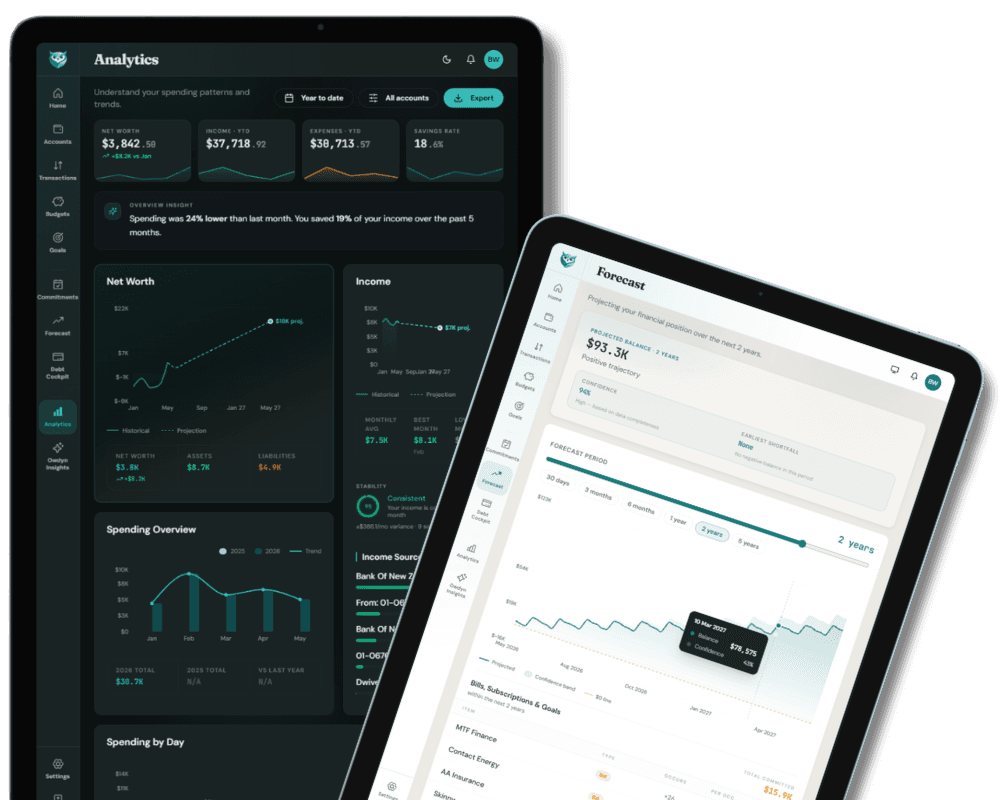
Knowing beats hoping
Plus & Wise“I just hope I’ll have enough before my next pay.”
Know exactly where your money is heading. Adjust before it’s too late.
Owdyn projects your balance forward using bills, goals, income patterns, and known commitments — flagging the first date you might run short. Track category spending across 3, 6, or 12 months. Drill from any chart straight to the transactions behind it. Net worth, income stability, spending by day — it’s all there.
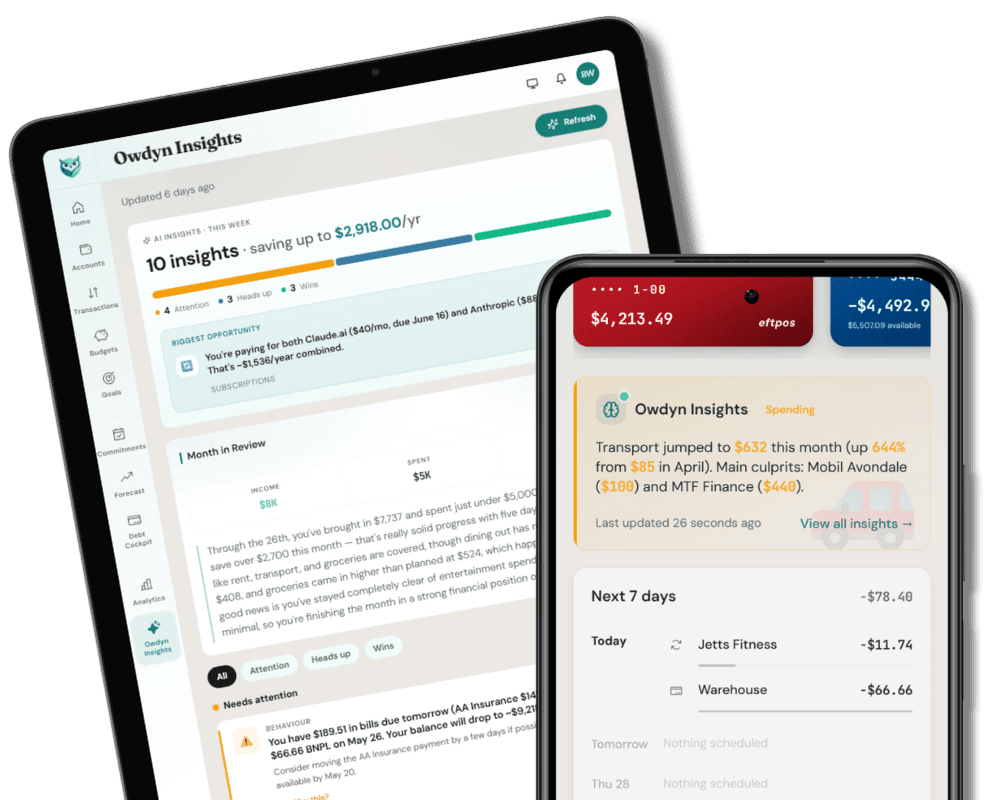
Your personal pattern detector
Plus & Wise“I feel like something’s off. I just don’t know what.”
Owdyn reads what your data is quietly telling you.
Every week, Owdyn surfaces patterns you’d never spot manually — subscription creep, late-night spending habits, a merchant you’ve been paying more than you realise. Each insight links directly to the transactions behind it. Tell Owdyn when it’s wrong, and the next batch gets sharper.
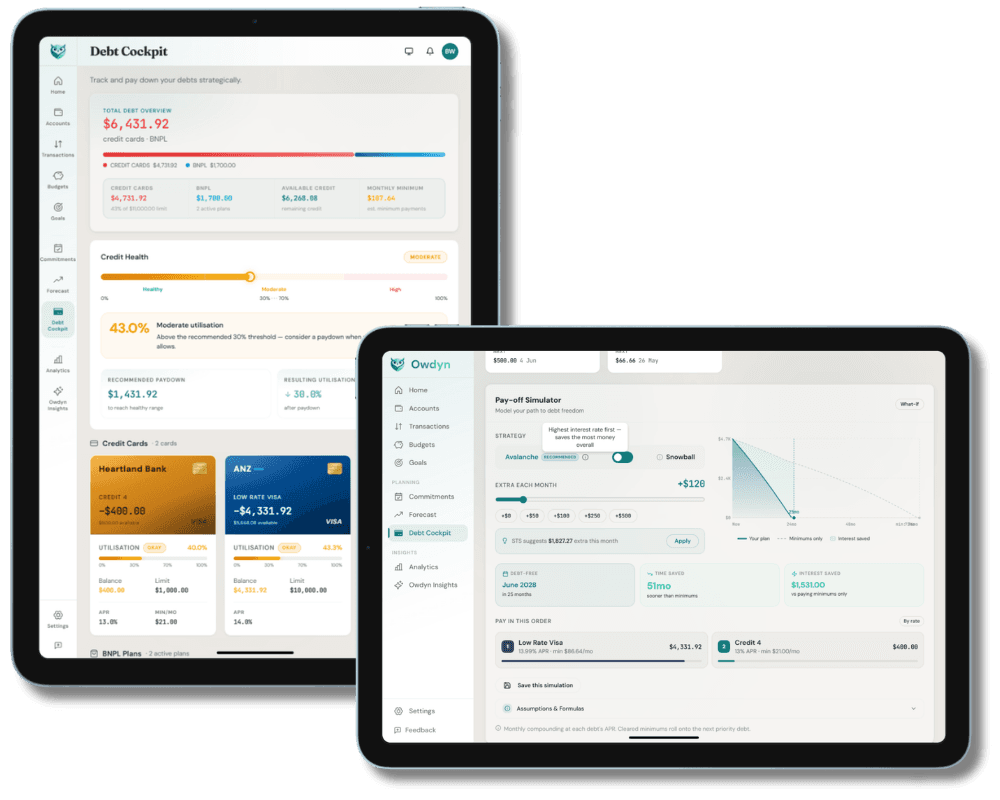
Know it. Face it. Fix it.
“I know I should pay down my credit card. I just don’t know where to start.”
Every card. Every rate. One clear picture — and a real plan.
Every credit card in one view — balance, available credit, interest rate, utilisation, and days until due. The Payoff Simulator shows exactly how much extra you need to pay — and precisely how much interest you save by doing it. Pick the avalanche or snowball strategy. See the finish line.
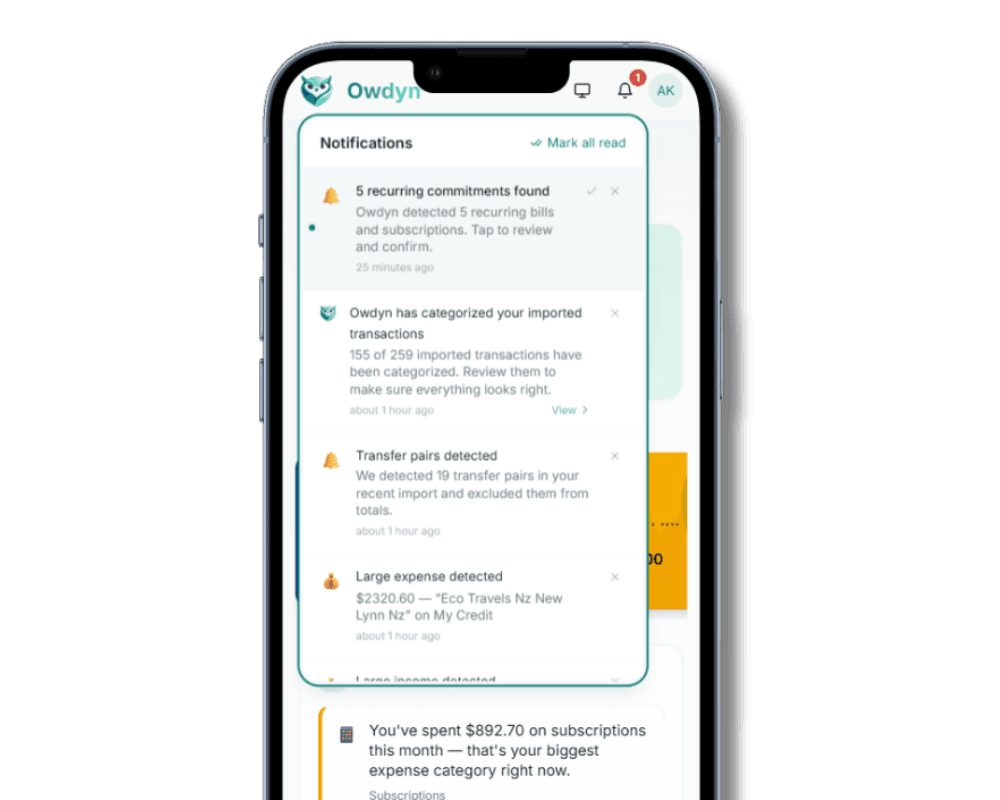
Quiet intelligence
“I wish someone just told me when something needed my attention.”
The nudge you needed. None of the noise you didn’t.
Bill due tomorrow. Large expense just landed. Budget approaching its limit. Owdyn catches it all — you choose which alerts matter, and set quiet hours so nothing lands at 11pm. Just the signal, never the spam.
Questions
Feature questions, answered.
Every part, one number
See it work with your own money.
Start free in minutes. Import a statement, add a bill, and watch your Safe-to-Spend appear. No credit card, no lock-in.